

Description
Download Ivideon – video surveillance, security camera, remote monitoring, cloud-based security, mobile security app, IP camera app, real-time alerts, home security, business security, Android security app
Overview
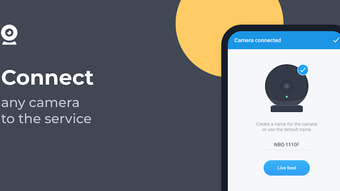
Ivideon is a full-featured video surveillance application designed for Android devices, developed by Mobile Video Solutions. The software is tailored to meet the security needs of both residential and commercial users seeking reliable, scalable, and affordable monitoring solutions. By leveraging cloud-based technology, Ivideon enables users to access live and recorded video feeds from multiple cameras in real time, regardless of their physical location. The app supports integration with a wide range of IP cameras and DVR/NVR systems, ensuring broad compatibility across existing hardware setups.
Its primary purpose is to provide continuous monitoring and instant event detection, helping users safeguard valuable assets, monitor staff or customers, or keep an eye on their homes while away. The application is particularly useful for small business owners, property managers, and homeowners who require a flexible and accessible surveillance system. With support for multiple location streams, users can manage several sites from a single interface, making it ideal for distributed operations.
The developer did not provide additional details about the company’s background or technical infrastructure. However, the app is described as a full version with no feature limitations, allowing unrestricted access to all tools. It is available for free download and is updated regularly to maintain performance and security standards.
Key Features & Capabilities
- Multi-Camera Integration: Connect and manage multiple cameras from different locations within a single interface, enabling centralized oversight for homes or businesses with multiple sites.
- Real-Time Video Streaming with Audio: Stream high-quality video with sound over 3G networks, ensuring clear visibility even on slower connections.
- Instant Event Notifications: Receive immediate alerts triggered by motion, sound, or other predefined events, allowing rapid response to potential security threats.
- Cloud-Based Storage & Retrieval: Archived video footage is securely stored in the cloud, with advanced search tools to quickly locate specific events or timeframes.
- Remote Access Across Devices: Access live and recorded footage from any internet-connected device, including smartphones, tablets, and desktops.
- Compatibility with Major Camera Brands: Works seamlessly with a wide range of IP cameras and DVR/NVR systems, reducing the need for proprietary hardware.
- Social Media Sharing: Share recorded clips or snapshots directly through social networks, useful for reporting incidents or verifying events.
These capabilities support practical use cases such as monitoring retail stores after hours, tracking deliveries at warehouse entrances, or checking on elderly family members remotely. The integration of real-time alerts and cloud storage enhances situational awareness and provides a robust audit trail for security investigations.
User Interface, Workflow & Performance
The Ivideon app features a clean, intuitive interface optimized for Android smartphones and tablets. Navigation is straightforward, with main functions like live viewing, playback, and settings accessible through a bottom navigation bar. Users can quickly switch between camera feeds, adjust viewing modes, and trigger playback with minimal steps.
Workflow efficiency is enhanced by the app’s ability to display multiple camera views simultaneously, allowing users to monitor several areas at once. The system is designed to minimize delays in video transmission, though exact performance metrics were not specified. The developer did not provide detailed information about CPU or RAM usage, so general behavior patterns suggest moderate resource consumption typical of video streaming apps.
Stability is maintained through regular updates, which help address bugs and improve compatibility. The app operates in the background without significant interference with other tasks, and the cloud-based architecture reduces local processing demands. Users can expect consistent access to video feeds, although performance may vary depending on network speed and camera resolution.
Compatibility & System Requirements
Ivideon is specifically designed for Android devices and requires version 4.1.2 or higher. The application has a file size of 12.5 MB, making it lightweight and suitable for most modern smartphones and tablets. It supports a wide range of hardware configurations commonly found in Android devices.
Compatibility with IP cameras and DVR/NVR systems is broad, covering major brands in the market. However, the developer did not specify exact hardware requirements or supported camera models. The app relies on a stable internet connection for full functionality, particularly for live streaming and cloud-based features.
Exact system requirements were not listed. Users should ensure their Android device meets basic standards for running multimedia applications and has sufficient storage for cached data. The app’s cloud-based nature means that local device performance is less critical than network reliability.
Pros and Cons
Pros
- Full-featured app with no limitations in the free version
- Supports multiple cameras and locations from a single interface
- Real-time alerts for motion and sound events
- High-quality video streaming over 3G networks
- Cloud-based storage with advanced search capabilities
- Compatible with a wide range of IP cameras and DVR/NVR systems
- Regular updates ensure ongoing security and functionality
Cons
- Only available for Android devices, no support for iOS or desktop platforms
- Exact performance and resource usage details were not provided
- Cloud storage may incur additional costs depending on usage (not specified)
- Limited information on data encryption and privacy policies
- Requires a stable internet connection for optimal performance
FAQ Section
Is Ivideon available for iOS devices?
Ivideon is currently designed exclusively for Android smartphones and tablets. There is no official version available for iOS or other platforms.
Can I use Ivideon without an internet connection?
While the app requires an internet connection for live streaming, remote access, and cloud-based features, some local functions may operate offline. However, full functionality depends on an active connection.
Is Ivideon safe to use?
The app uses secure data transfer protocols and cloud storage, but the developer did not provide detailed information about encryption methods or privacy policies. Users should ensure their network and camera systems are also secured.
How often is Ivideon updated?
The app is updated regularly to improve performance, fix bugs, and enhance compatibility. Users are encouraged to keep the app up to date for the best experience.
Do I need to pay to use Ivideon?
Ivideon is available for free download. It is described as a full version program, meaning all features are accessible without subscription or in-app purchases.
Final Thoughts
Ivideon stands out as a powerful, accessible video surveillance solution for Android users. Its cloud-based architecture, multi-location support, and real-time alert system make it a strong choice for both home and business environments. The app delivers comprehensive monitoring capabilities without imposing feature restrictions, which is rare among free security tools.
While it is limited to Android and lacks detailed technical disclosures, its broad hardware compatibility and intuitive design compensate for these constraints. For users seeking a reliable, scalable, and affordable way to monitor their property remotely, Ivideon offers a compelling package.
Download Ivideon now
Guides & Tutorials for Video Surveillance Ivideon APK
How to install Video Surveillance Ivideon APK
- Click the Preview / Download button above.
- Once redirected, accept the terms and click Install.
- Wait for the Video Surveillance Ivideon APK download to finish on your device.
How to use Video Surveillance Ivideon APK
This software is primarily used for its core features described above. Open the app after installation to explore its capabilities.
User Reviews for Video Surveillance Ivideon APK 0
No reviews found





